See what is actually present
Active discovery records IP and MAC evidence. Paid plans can add continuous passive listening and faster scan intervals.



Discover what is using every address, keep ownership and history beside the evidence, and answer network questions without rebuilding your stack.
No card · Linux agent · Outbound HTTPS · One /24 free forever
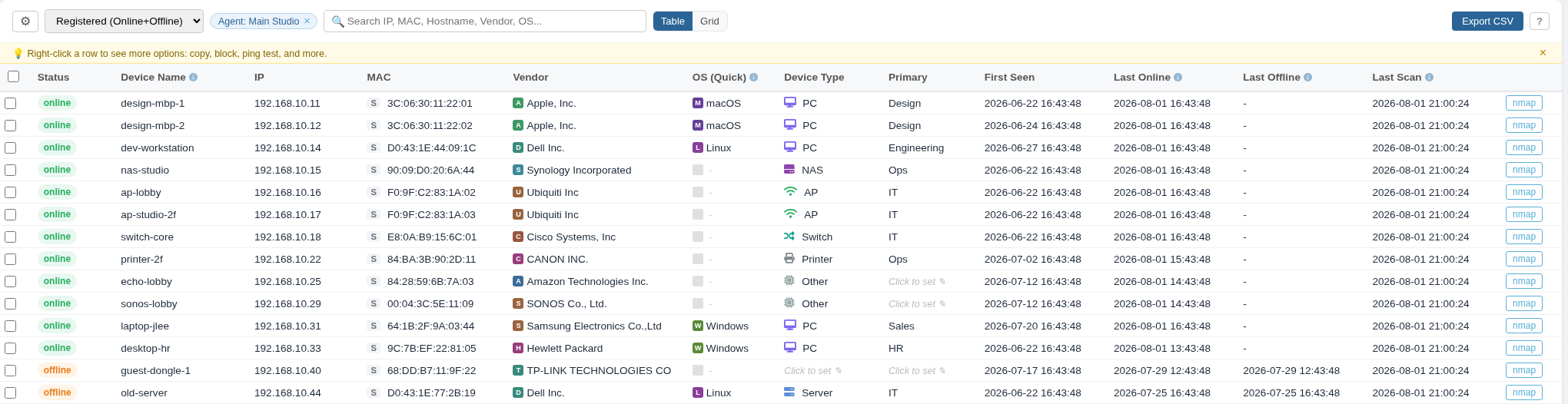
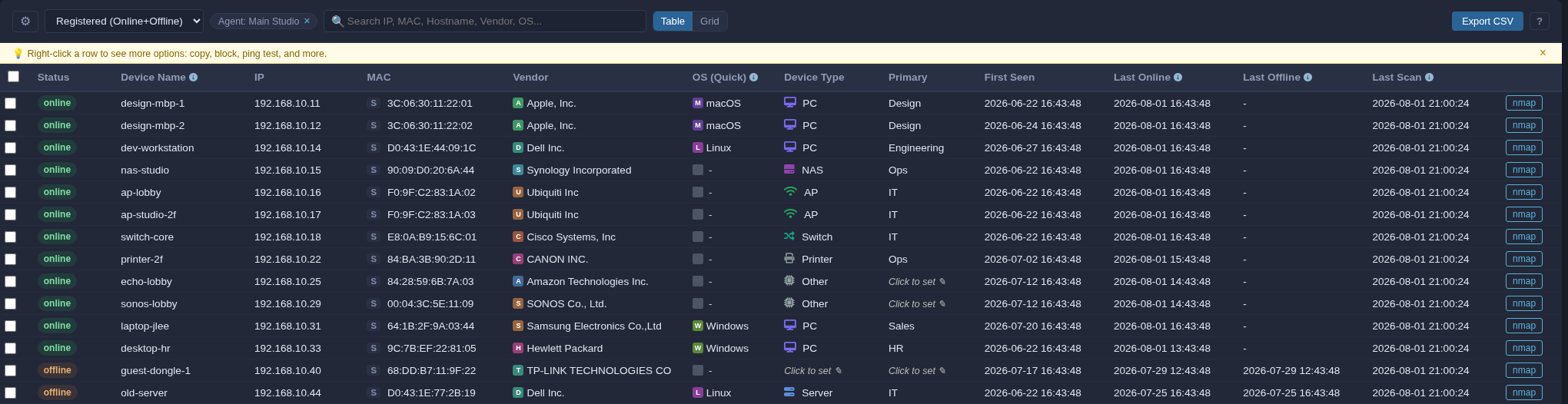
Search IP, MAC, hostname, vendor, OS, owner, and recent state from one workspace. Click the screen to inspect the real interface.
Active discovery records IP and MAC evidence. Paid plans can add continuous passive listening and faster scan intervals.
Add device names, owners, notes, reservations, DHCP clues, first seen, last seen, and recent changes.
Search, export, alert, scan, or use scoped admin controls when the plan and platform support them.
Discovery provides evidence. Your team adds the context only people know. The result stays useful during incidents, handovers, and audits.
Search across address, hardware identity, hostname, vendor, operating system clues, owner, and notes instead of checking separate records.
Use first-seen, last-seen, online and offline state, and recent activity to distinguish a new device from an old record.
Review observed state, DHCP data known to ipuipu, reservations, bindings, and recent activity. Free-IP suggestions remain candidates, not absolute guarantees.
ipuipu is built for observed LAN operations. It complements authoritative infrastructure rather than pretending to replace everything.
| Decision | Spreadsheet | ipuipu | Traditional DDI / IPAM |
|---|---|---|---|
| Primary job | Manual recordDocument what people already know | Live LAN operationsObserved inventory plus team context | Infrastructure controlAuthoritative DNS, DHCP, and IPAM |
| Deployment | ImmediateNo discovery or network evidence | LightweightLinux agent and outbound HTTPS | Project-scaleBroader integrations and governance |
| Freshness | Remember to updateAccuracy follows process discipline | Observed repeatedlyEvidence refreshes with the network | Authoritative by designBest when centrally managed |
| Cost model | Tool cost is lowHuman upkeep is the tradeoff | Per /24 managedNo charge for every discovered device | Vendor-specificUsually tied to broader scope |
| Best fit | Small and staticFew changes, one clear owner | Lean and distributedChanging LANs, limited operator time | Complex enterpriseCentral DDI is the requirement |
ipuipu is not authoritative DDI and optional Linux enforcement is not full NAC. Use a switch, firewall, NAC, or another dedicated enforcement point when complete same-subnet isolation is required.
Not every company needs an enterprise DDI program. Many still need a dependable answer when somebody asks what is connected.
Give a one-to-ten-person team a current place for identity, ownership, availability, and recent change.
Organize office, branch, studio, clinic, lab, or factory subnets without paying for every endpoint.
Preserve names, owners, notes, and reservations while discovery handles the facts that change underneath them.
Remote MCP and API access can answer scoped questions about IPs, MACs, owners, recent activity, and low-conflict free-IP candidates. AI is the interface, not the source of truth.
Access can be limited by role and instance. Block and unblock requests require an impact preview, administrator permission, and explicit confirmation.
Three candidates found. These are evidence-backed candidates, not absolute guarantees.
The inventory is useful before enforcement is enabled. Operational actions remain scoped, explicit, and reviewable.
The agent communicates over outbound HTTPS 443. No internet-facing inbound rule is required.
Discovery stays within the instances and subnets you choose instead of scanning arbitrary external ranges.
Limit API and Remote MCP access by role and instance scope.
Administrative network actions require the right role, an impact preview, and confirmation.
Start with one /24 free forever. Upgrade when you need more subnets, shorter intervals, longer history, or advanced operations.
Forever for one /24. No credit card required.
Or $100/year per /24. A /23 counts as two /24s.
Install the Linux agent, let evidence build the first inventory, and add the context your team already carries.